How to run multiple LinkedIn profiles without overlap
How to manage multiple LinkedIn accounts cleanly, isolate each with its own IP and GoLogin fingerprint, prevent duplicate touches, and track per-profile health.
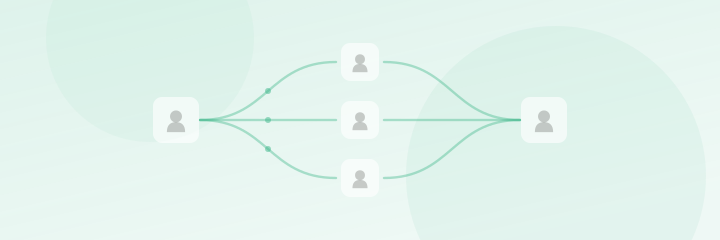
Two of your profiles just sent a connection request to the same prospect on the same day. Best case, they think it’s spam and ignore both, and worst case, they post a screenshot. Meanwhile LinkedIn noticed that two “different people” log in from the same IP with the same browser and quietly clustered your accounts as one operation, which is how a single restriction becomes three.
Running several LinkedIn profiles isn’t hard, but it’s unforgiving of sloppiness. Two failure modes do almost all the damage: profiles that aren’t truly isolated from each other, and prospects that get touched twice. Fix both and the rest is routine.
In one line: Each profile needs its own IP and browser fingerprint so they never look related, and every prospect needs exactly one assigned profile so they never get touched twice.
Isolate each profile completely
LinkedIn fingerprints far more than your login. Two accounts that share an IP address, a browser, cookies, or a device signature get linked, and once linked, a flag on one threatens all of them.
True isolation means each profile gets:
- Its own dedicated IP (a dedicated proxy, not a shared one). Shared IPs are the single biggest cause of clustered bans, more on that in /blog/linkedin-shared-ip-bans.
- Its own browser fingerprint via a tool like GoLogin, so each profile presents a distinct, consistent device signature. The why is covered in /blog/gologin-browser-fingerprinting-linkedin.
- Separate cookies and sessions, which GoLogin handles per profile automatically.
- Consistent geography, the IP, timezone, and language should agree, and ideally match the region you’re targeting.
This is exactly what ScaleProfiles bundles with every rented profile: a dedicated proxy and a GoLogin browser, set up so the account is isolated out of the box. And because each profile is aged 1 year+ and has been through a 30-day minimum warmup before you get it, it’s ready to send rather than something you have to baby for weeks. You don’t have to assemble any of this yourself.
Prevent duplicate touches
Isolation keeps LinkedIn happy, while deduplication keeps your prospects from seeing double. The rule is simple, one prospect, one profile, one time, and you enforce it at the list level, before any campaign runs.
A master prospect list is the backbone:
| Field | Purpose |
|---|---|
| LinkedIn URL / profile ID | Unique key for dedupe |
| Assigned profile | Which account owns this prospect |
| Segment / region | Why they’re assigned there |
| Status | Invited / connected / replied / done |
Workflow that keeps it clean:
- Dedupe every new import against the master before assigning anyone.
- Assign each prospect to exactly one profile, by segment or region.
- Sync acceptances and replies back to the master so no other profile re-touches a live thread.
- Never let two operators import lists independently, one person owns imports.
One concrete guardrail: before launching any new campaign, run a dedupe check against everyone you’ve contacted in the last 90 days. A prospect you invited two months ago from another profile shouldn’t get a second invite now.
Assign profiles by segment or region
Don’t just distribute prospects at random. Map each profile to a clear slice of your market so messaging stays coherent and overlap becomes structurally impossible:
- By region, a profile per geography, with its IP and (ideally) location matched. ScaleProfiles offers location targeting across 9+ countries, so a UK profile works UK prospects from a UK IP.
- By ICP, a profile per persona, so each account’s copy speaks to one audience.
Because each prospect belongs to one segment and each segment to one profile, the same person can’t end up in two queues. So segmentation isn’t just for relevance; it doubles as a dedupe mechanism.
One note on what’s matched: ScaleProfiles matches the profile’s location and uses mostly Latino names, which is fine for most cold outreach. If a segment needs the sender’s name to read as a US/Anglo-Saxon/Western European local, ScaleProfiles isn’t the right fit for that segment.
Track per-profile health
Managing many accounts means watching each one separately, because aggregate numbers hide a sick profile. Keep a simple per-profile dashboard:
| Signal | Check |
|---|---|
| Daily volume sent | Is the profile actually sending its cap? |
| Acceptance rate | Any single profile dropping below ~15%? |
| Warnings / locks | Any restriction notice, same-day action |
| Proxy status | Is the dedicated IP up and consistent? |
A profile whose acceptance suddenly falls or whose volume drops to zero is usually throttled or restricted, so catch it in the daily check rather than a week later. And when one does go down, a rented ScaleProfiles profile includes a 48-hour replacement, which makes a flagged account a short gap rather than a full rebuild.
The full operating model
Isolation, dedupe, segmentation, and health tracking are the mechanics. How they fit into a daily team workflow, ownership, caps, tooling, is in /blog/linkedin-outreach-at-scale. If you’re doing this for several clients at once, the agency-specific structure is in /blog/linkedin-profiles-for-agencies.
Can I run multiple LinkedIn accounts from one computer?
Only if each has its own IP and browser fingerprint. Open them as separate GoLogin profiles, each on its own dedicated proxy, never the same browser session or IP.
How do I stop two profiles messaging the same person?
Keep one master list with a unique key per prospect, assign each prospect to a single profile, and dedupe every import. Overlap is a list-management problem, not a campaign setting.
How many profiles can I manage at once?
With per-profile isolation handled and a clean master list, one operator can manage 5–8 profiles comfortably. Beyond that, split ownership by profile group.
Isolate every profile, keep one clean master list, and check each account daily. When you want profiles that arrive already isolated, dedicated proxy and GoLogin browser included, build your order.
Go live with warmed-up profiles in 24 hours.
What you order is what you get — the exact gender and location you picked, every time.
Build your order →